- 0321 4375395
- info@welsh-global.com


Welsh Global
WEB DEVELOPMENT
The goal isn’t to build a website. The goal is to build your business.
iOS vs. Android Developers need to choose between iOS (Apple’s operating system) and Android (Google’s operating system) or develop for both platforms. Each platform has its own development environment, programming languages, and design guidelines.
Play Video
WEB DEVELOPMENT History
Web development is a fascinating journey that spans several decades. Here is a brief overview of key milestones and developments in the history of web development:
Early Concepts (Antiquity to 20th Century):
Current Trends (2020s – Present):
- 2020s: Continued focus on Jamstack architecture, serverless computing, and the adoption of headless CMS.
- 2020s: Increased emphasis on web accessibility (WCAG) and inclusive design practices.
- 2020s: Evolution of web development tools and the continued dominance of JavaScript.
The Birth of the World Wide Web (1989-1993):
- 1989: Sir Tim Berners-Lee, a British scientist, proposed the concept of the World Wide Web while working at CERN.
- 1990-1991: Berners-Lee developed the first web browser/editor (WorldWideWeb) and the first web server (httpd).

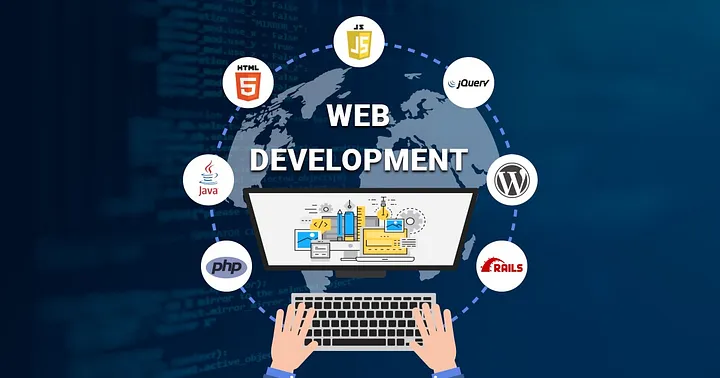
Web development involves creating and maintaining websites or web applications. It encompasses a range of tasks, including designing the user interface, writing code to implement functionality, and managing databases. Here are some key aspects of web development:
Front-end Development:
- HTML/CSS: These are fundamental building blocks. HTML (Hypertext Markup Language) structures the content, and CSS (Cascading Style Sheets) styles and formats it.
- JavaScript: A programming language that enables interactivity and dynamic content on the client side.
Back-end Development:
- Server-Side Programming: Languages like PHP, Python (Django, Flask), Ruby (Ruby on Rails), Node.js, Java (Spring), and others are used to handle server-side logic.
- Databases: Storing and retrieving data. Common databases include MySQL, PostgreSQL, MongoDB, and SQLite.
Frameworks and Libraries:
- Front-end frameworks like React.js, Angular, and Vue.js help structure and organize code for building interactive user interfaces.
- Back-end frameworks like Express (for Node.js), Django (for Python), Ruby on Rails (for Ruby), and Laravel (for PHP) provide pre-built components and structure for server-side development.
Version Control/Git:
- Git is a distributed version control system used to track changes in source code during software development.
Web Development Tools:
- Text Editors/IDEs: Examples include Visual Studio Code, Sublime Text, Atom, and more.
- Command Line Interface (CLI): Understanding basic command line commands is often essential.
- Package Managers: npm (for Node.js), pip (for Python), and others manage and install dependencies.
Responsive Web Design:
- Ensuring websites work well on a variety of devices and window or screen sizes.
APIs (Application Programming Interfaces):
- Used for communication between different software systems. REST and GraphQL are common API design architectures.
Security:
- Understanding and implementing security best practices to protect against common web vulnerabilities.
Testing and Debugging:
- Writing and running tests to ensure the functionality and reliability of the code.
Deployment and Hosting:
- Deploying applications to servers and configuring web hosting services.
Continuous Integration/Continuous Deployment (CI/CD):
- Automating the process of testing and deploying code changes.
Web Accessibility (WCAG):
- Ensuring websites are accessible to people with disabilities.
Performance Optimization:
- Optimizing websites and applications for speed and efficiency.
web development course can vary depending on the level (beginner, intermediate, advanced) and the specific technologies covered. Below is a general outline of topics commonly included in a comprehensive web development course:
1. Introduction to Web Development:
- Overview of web development and its components
- Understanding the client-server model
- Introduction to front-end and back-end development
2. HTML (Hypertext Markup Language):
- Basic HTML structure
- HTML tags and attributes
- HTML forms and input elements
3. CSS (Cascading Style Sheets):
- Styling HTML with CSS
- Selectors, properties, and values
- Layouts and positioning
- Responsive web design
4. JavaScript:
- Introduction to JavaScript
- Variables, data types, and operators
- Control structures (if statements, loops)
- Functions and objects
- DOM manipulation (Document Object Model)
5. Front-end Frameworks:
- Introduction to popular front-end frameworks like React, Angular, or Vue.js
- Building interactive user interfaces
- Component-based architecture
6. Back-end Development:
- Introduction to server-side programming languages (e.g., Node.js, Python, Ruby, Java)
- Building server-side applications
- Handling HTTP requests and responses
7. Databases:
- Introduction to databases (SQL and NoSQL)
- Connecting to databases from the back end
- Querying and updating data
8. Version Control with Git:
- Basics of version control
- Git commands and workflows
- Collaborative development with Git and GitHub
9. Web Security:
- Common web vulnerabilities
- Best practices for securing web applications
- HTTPS and secure communication
10. Web APIs (Application Programming Interfaces):
- Understanding RESTful APIs and GraphQL
- Making API requests from the front end
- Building APIs on the back end
11. Deployment and Hosting:
- Deploying web applications to servers
- Configuring hosting services (e.g., Heroku, Netlify)
- Domain management
12. Testing and Debugging:
- Writing and running tests
- Debugging techniques and tools
13. Advanced Topics:
- Progressive Web Apps (PWAs)
- Web performance optimization
- Authentication and authorization
- Serverless architecture
14. Project Work:
- Real-world projects to apply learned concepts
- Collaboration and teamwork
15. Continuous Learning:
- Resources for staying updated on web development trends
- Building a personal learning path
Text Editors and Integrated Development Environments (IDEs):
- Visual Studio Code: A lightweight, open-source code editor developed by Microsoft with support for various languages and extensions.
- Sublime Text: A popular and customizable text editor with a sleek user interface.
- Atom: An open-source text editor developed by GitHub with a focus on customization and community contributions.
2. Version Control:
- Git: Distributed version control system used for tracking changes in source code during development.
- GitHub, GitLab, Bitbucket: Platforms that provide hosting for software development and collaboration using Git.
3. Front-end Frameworks and Libraries:
- React.js: A JavaScript library for building user interfaces, developed by Facebook.
- Angular: A TypeScript-based front-end framework developed by Google.
- Vue.js: A progressive JavaScript framework for building user interfaces.
4. Back-end Frameworks:
- Express.js: A minimal and flexible Node.js web application framework.
- Django: A high-level Python web framework that encourages rapid development and clean, pragmatic design.
- Ruby on Rails: A full-stack web application framework written in Ruby.
5. Package Managers:
- npm (Node Package Manager): The package manager for Node.js and JavaScript.
- Yarn: A fast and reliable package manager for JavaScript.
6. Database Management:
- MySQL Workbench, pgAdmin: GUI tools for managing MySQL and PostgreSQL databases.
- MongoDB Compass: A graphical user interface for MongoDB.
7. Web Browsers:
- Google Chrome, Mozilla Firefox, Safari: Browsers with developer tools for debugging and testing.
8. Graphic Design and Prototyping:
- Adobe XD, Figma, Sketch: Design tools for creating prototypes and mockups.
9. Testing and Debugging:
- Postman: A collaboration platform for API development, testing, and debugging.
- Jest, Mocha, Jasmine: Testing frameworks for JavaScript.
- Chrome DevTools: Browser-based tools for debugging, profiling, and testing web applications.
10. Task Runners and Build Tools:
- Webpack: A module bundler for JavaScript applications.
- Gulp, Grunt: Task runners that automate repetitive tasks in the development process.
11. Content Management Systems (CMS):
- WordPress, Drupal, Joomla: CMS platforms for building and managing websites.
12. Continuous Integration/Continuous Deployment (CI/CD):
- Jenkins, Travis CI, CircleCI: CI/CD tools for automating the testing and deployment of code changes.
13. Web Hosting:
- Heroku, Netlify, Vercel: Platforms for deploying and hosting web applications.
14. Collaboration and Communication:
- Slack, Microsoft Teams: Communication tools for team collaboration.
- Trello, Jira: Project management tools for tracking tasks and issues.
15. Browser Developer Tools:
- Chrome DevTools, Firefox Developer Tools: Built-in tools for debugging, profiling, and analyzing web pages.
16. Code Editors for Mobile Development:
- Android Studio: For Android app development.
- Xcode: For iOS app development.
Assessment in mobile app development courses typically involves a combination of theoretical understanding, practical skills, and the ability to apply knowledge to real-world scenarios. Here is an overview of common assessment methods used in mobile app development courses:
Quizzes and Exams:
- Assess theoretical knowledge of programming languages, mobile app architecture, and development principles.
- Evaluate understanding of key concepts, syntax, and best practices.
Coding Assignments:
- Assignments may involve developing specific features or functionalities of a mobile app.
- Assess practical coding skills, implementation of algorithms, and adherence to coding standards.
Individual or Group Projects:
- Capstone projects requiring the development of a complete mobile app from concept to deployment.
- Evaluate the ability to apply learned concepts to solve real-world problems.
Code Reviews:
- Peer or instructor-led code reviews to assess code quality, adherence to coding standards, and the effectiveness of problem-solving.
UI/UX Design Projects:
- Design assignments or projects assessing the ability to create visually appealing and user-friendly interfaces.
- May include wireframing, prototyping, and usability testing.
Testing and Debugging Exercises:
- Practical assessments involving testing strategies, identifying and fixing bugs, and ensuring the reliability of the mobile app.
Version Control and Collaboration:
- Assess the use of version control systems (e.g., Git) and collaboration tools to manage code changes and work effectively in a team.
Presentations and Demonstrations:
- Students may be required to present their projects, explain design decisions, and demonstrate the functionality of their mobile apps.
- Evaluate communication and presentation skills.
Mobile App Deployment:
- Assess the ability to prepare and deploy mobile apps to app stores (e.g., App Store, Google Play).
- Ensure understanding of the submission and review processes.
Continuous Integration/Continuous Deployment (CI/CD) Practices:
- Evaluate the implementation of CI/CD pipelines for automated testing and deployment.
- Assess understanding of continuous integration principles.
Documentation:
- Submission of technical documentation accompanying the code, explaining design decisions, and providing usage instructions.
- Assess communication and documentation skills.
Problem-Solving Exercises:
- Real-world problem-solving scenarios that require students to apply their programming and app development skills.
- Assess critical thinking and problem-solving abilities.
Popular Courses
Popular online courses include “Complete Python ” “Web Developer,” and “Machine Learning” “Google Data Analytics” and “Business Foundations” specializations. For AI and ML, Berkeley ExecEd’s “AI Business Strategies” and Coursera’s “Deep Learning Specialization” are popular.

Artificial Intelligence (AI) stands at the forefront of technological innovation, representing a paradigm shift in the way we approach problem-solving, decision-making, and automation

MACHINE LEARNING
Machine learning is a branch of artificial intelligence (AI) and computer science which focuses on the use of data and algorithms to imitate the way that humans learn, gradually improving its accuracy.

Mobile app development is the process of creating software applications that run on mobile devices such as smartphones and tablets.

AMAZON
Amazon (Amazon.com) is the world’s largest online retailer and a prominent cloud service provider.
198+
Success Stories
20+
Courses
1742+
Happy Students
13
Years Experience
MOBILE APP DEVELOPMENT
FAQ
Below, you’ll find answers to the most frequently asked questions. If you don’t find an answer to what you’re looking for, please feel free to contact us!

Common programming languages for mobile app development include Swift and Objective-C for iOS, and Kotlin and Java for Android. Cross-platform development frameworks like React Native and Flutter use JavaScript and Dart, respectively. Xamarin uses C#.
Mobile app architecture typically includes the Model-View-Controller (MVC) or similar patterns. Components include UI (View), business logic and data management (Model), and the controller that manages user input and communicates between the View and Model.
Consider factors like development time, cost, performance, and the target audience. Native development provides better performance but may require more resources. Cross-platform frameworks offer code reuse but may have some performance trade-offs.
Design tools like Sketch, Adobe XD, and Figma are popular for creating UI/UX designs and prototypes. These tools help designers create visually appealing and user-friendly interfaces.
Testing involves unit testing, UI testing, and device testing. Tools like Appium, Calabash, and XCTest are used for automated testing. Manual testing on real devices and emulators is also essential.
CI/CD involves automating the building, testing, and deployment processes. Jenkins, Travis CI, and GitLab CI are popular tools. CI/CD ensures code quality, reduces manual errors, and speeds up the development lifecycle.
Implement secure coding practices, encrypt sensitive data, use secure communication protocols (HTTPS), and perform regular security audits. Protect against common threats like SQL injection, cross-site scripting, and data breaches.
Monetization models include freemium (free with in-app purchases), subscription-based, and advertising. In-app purchases, ads, and premium features are common revenue sources.